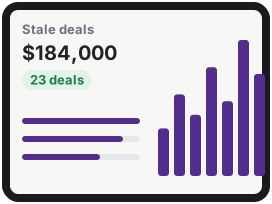
At the desk
The full report
Stale deals with every line and the change against last time, and a link to the saved page when you want the detail.

 For HubSpot users
Custom reports from the deals, pipelines, owners and logged activities in your own HubSpot account: stale deals, funnel conversion, time in stage, closed lost reasons, rep activity. Sent on a schedule you set, every number with a note on how it was counted.
Free until your first 5 reports · no card required
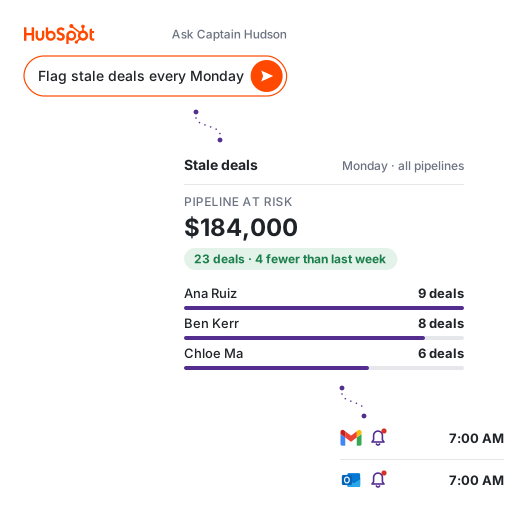
Three steps. The third one repeats on its own.

Ask the way you would ask the colleague who builds everyone's reports, or pick a ready-made report.
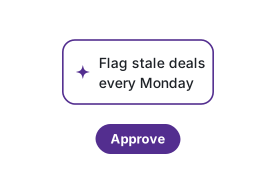
A plain plan of what will run, when, and who receives it. Nothing runs unseen.
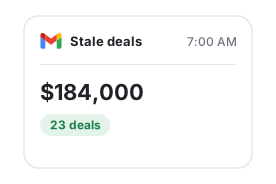
The same report every time, counted the same way, built from your own HubSpot data.
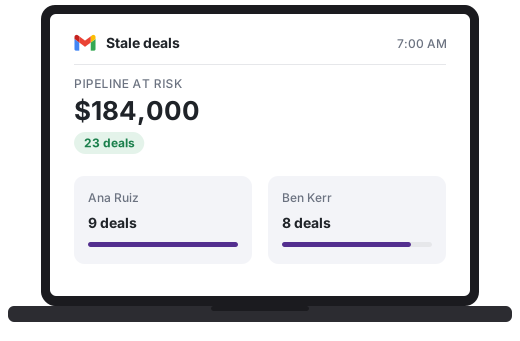
The report is an email first. Open it on the laptop with your coffee, or on the phone on the way in.
At the desk
Stale deals with every line and the change against last time, and a link to the saved page when you want the detail.
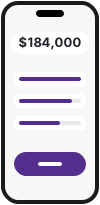
On the move
One column, big numbers, the lines that matter underneath. Reads in the time it takes to get to the first meeting.
Try it here
This is a real report from Captain Hudson, built from example data, never from a live HubSpot account.
The preview uses sample data only.
Nothing you type here is saved.
Stale deals selected.
See every exampleSample report plans arrive on the phone below. Approve one and watch the report beside it refresh, with nothing to type.
Captain Hudson● Live
Waiting for approval
No plans waiting
Scheduled
Nothing scheduled yet
Try it: approve a plan on the phone
Pipeline review
Last month's closed lost deals grouped by reason, with the count and the amount behind each, so the fix you pick first is the one that costs the most.
Short cards for what every plan covers, so you find the one you came for.
Every open deal with no logged activity in 14 days and no upcoming task, by rep and stage, with the amount and days in stage, in your inbox at 8:00 AM.
Built from the deal history and logged activities HubSpot keeps for every account, so it does not wait on a higher tier, a calculated property or a spreadsheet pulled from a dashboard.
Funnel conversion counts a deal that skipped a stage as having reached it, and time in stage covers open deals as well as closed ones, so the number holds up when someone checks it.
Daily, weekly, on the first of the month or the day after the close: the report runs when you said and nobody has to remember.
Captain Hudson only reads from your HubSpot account. Nothing is written back, and disconnecting deletes the data.
Each figure carries a note on how it was counted, so the report and the dashboard never argue.
Free until your first 5 reports. No card required.
$25 per month
$74 per month
$249 per month
No. Your first 5 delivered reports are free at full Pro access. You pick a plan only when you want the sixth.
The connection asks your express permission and reads only deals, pipelines, owners and logged activities. Your data serves your own account only: it is never pooled with other accounts or used to train AI, and it is deleted when you uninstall or ask. You can remove the app from your connected apps at any time.
You pick a plan. Nothing sends until you do, and everything you built stays.
Yes. Every deal report can cover every pipeline in your account, together or split out by pipeline and by rep.
No. The reports read the deal history and logged activities HubSpot keeps for every account, so no calculated properties, workflows or paid reporting tier are required. Captain Hudson adds to the reporting you have; it does not replace it.
Every number comes with a note saying how it was counted: which activities count as activity, how days in stage were measured, and whether a skipped stage was counted.
Run it for your next two reporting cycles. If the numbers are not clearer, turn it off and nothing else changes.
Free until your first 5 reports · no card required